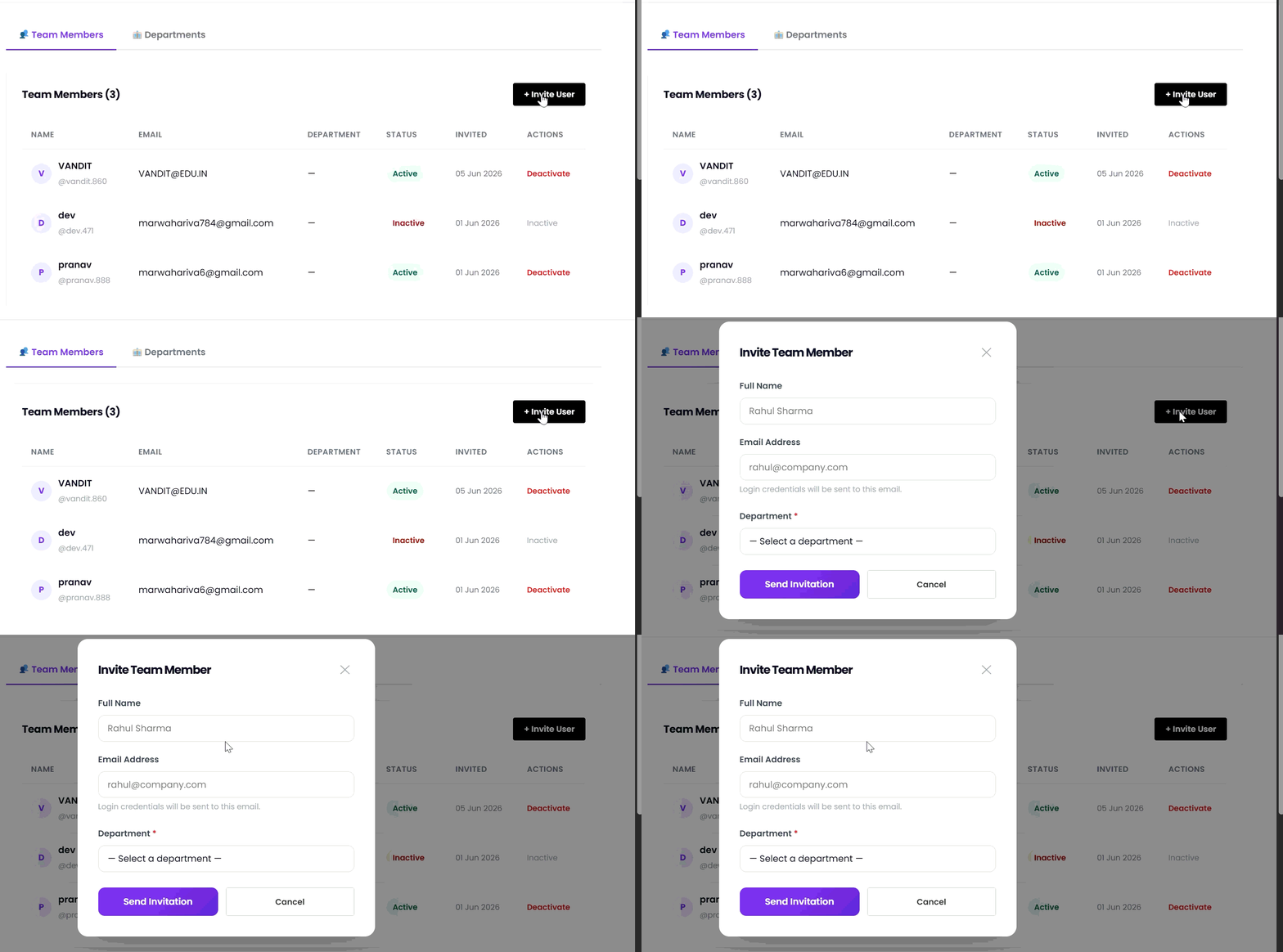
Before inviting a team member, ensure that the required department has already been created. Team members must be assigned to an existing department.
- Navigate to the Team Members section.
- Click Invite Team Member.
- Enter the member’s Full Name.
- Enter the member’s Email Address.
Login credentials and the invitation email will be sent to this address.
- Select the Department from the dropdown list.
- Click Send Invitation.
- The team member will receive an invitation email and can access their assigned department after accepting the invitation.