
Steps
- Navigate to Coupons batch.
- Find an Unused coupon.
- Click Assign & Send.
- Enter the recipient’s email address.
- Click Assign & Send Email.
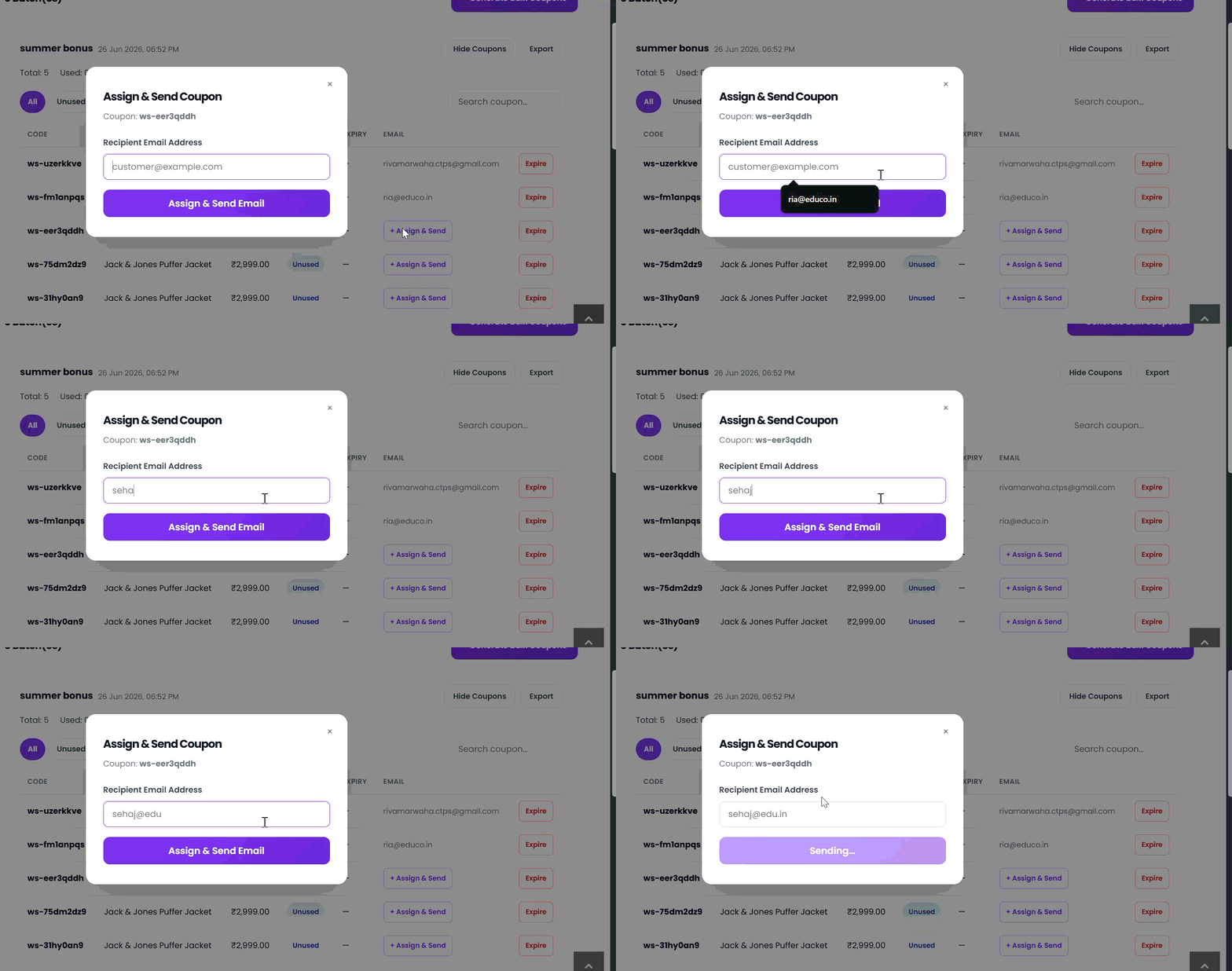
Once assigned, the recipient’s email is displayed in the Email column and the coupon is linked to that customer.