
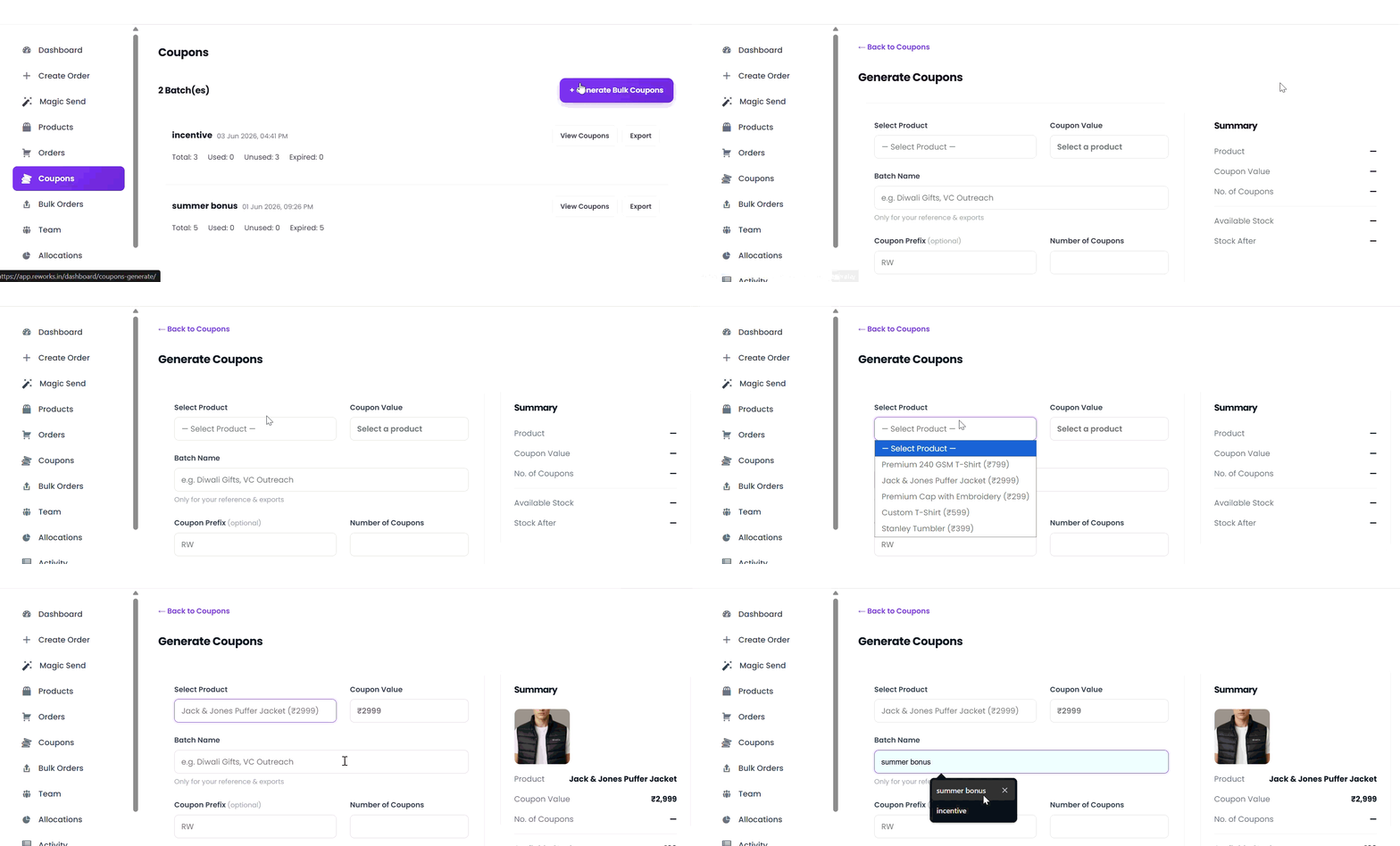
Step 1: Select a Product
From the Select Product dropdown, choose the product for which you want to generate coupons. Coupon Value will be auto-fetchedStep 2: Enter a Batch Name (Internal)
Provide a Batch Name for internal reference (for example: Diwali Gifts, VC Outreach).This name is used only for tracking, reporting, and exports.
Step 3: Add a Coupon Prefix (Optional)
Enter a Coupon Prefix to customize how coupon codes are generated.If left empty, the system will use the default prefix.
Example: RW-XXXXXX
Step 4: Specify the Number of Coupons
Enter the Number of Coupons you want to generate.Each coupon will be unique and redeemable by a single user.
Step 5: Upload a CSV File (Optional)
The CSV must contain exactly two columns:name,email
Step 6: Set an Expiry Date (Optional)
Select an Expiry Date to limit how long the coupons remain valid.After this date, unused coupons can no longer be redeemed.
Step 7: Review the Coupon Summary
Check the Coupon Summary panel on the right to verify :- Selected product
- Coupon value
- Number of coupons
Coupons Generated!
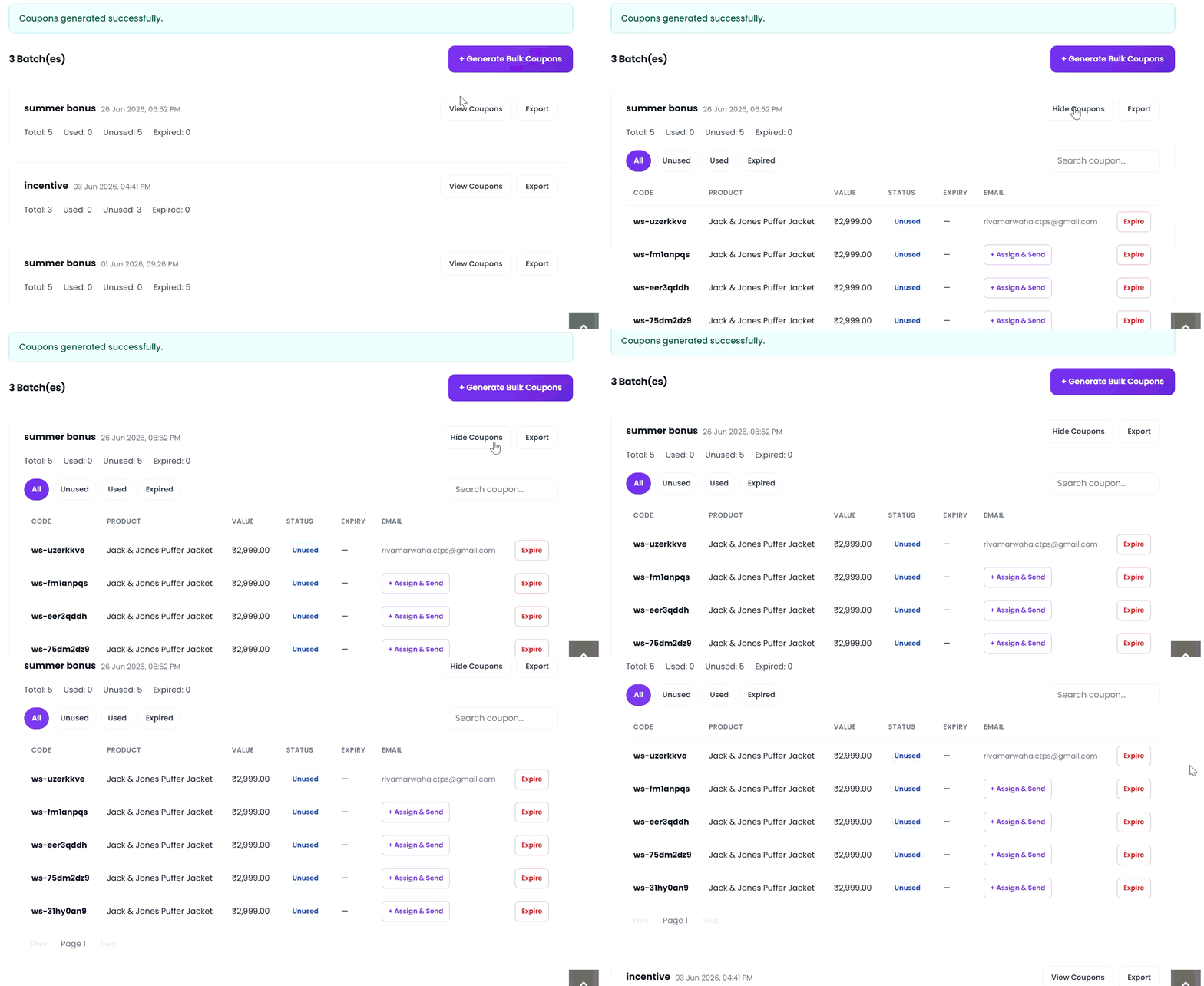
The system will create a batch of unique coupon codes ready. Also, mailed to individuals.