> ## Documentation Index
> Fetch the complete documentation index at: https://docs.reworks.in/llms.txt
> Use this file to discover all available pages before exploring further.
# Order & StockPool Insights
 total number of orders that have been successfully delivered.
Shows the number of orders that are currently being prepared or awaiting fulfillment.
Represents the number of orders that have been shipped and are on way to customers.
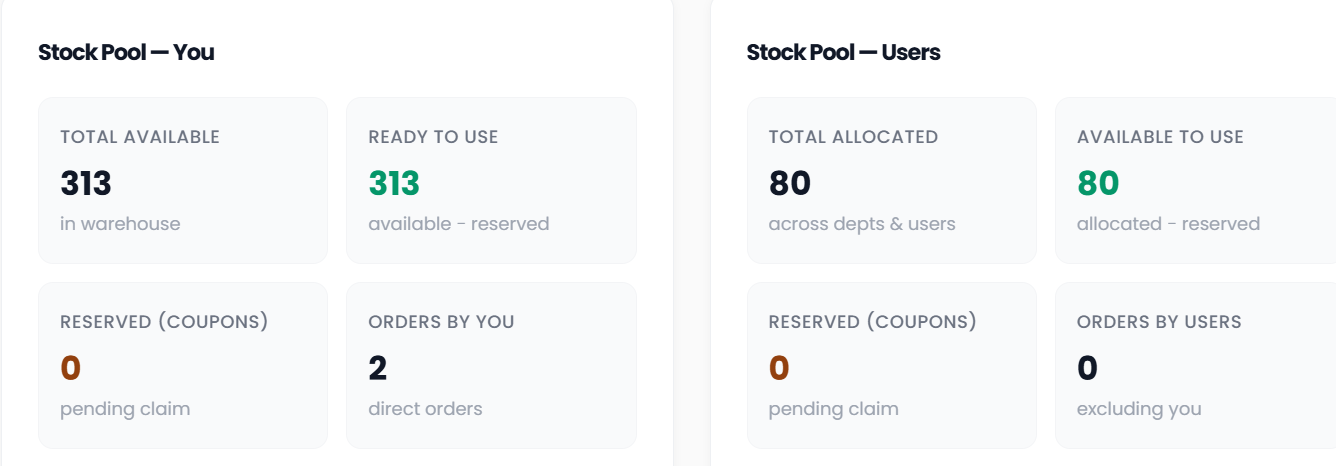
The **StockPool** provides a real-time summary of product inventory, reservations, and order activity. It is divided into two distinct sections:
Displays stock and order details directly associated with the admin user.
Displays stock allocation and order activity across all other users and departments within the organization.
total number of orders that have been successfully delivered.
Shows the number of orders that are currently being prepared or awaiting fulfillment.
Represents the number of orders that have been shipped and are on way to customers.
The **StockPool** provides a real-time summary of product inventory, reservations, and order activity. It is divided into two distinct sections:
Displays stock and order details directly associated with the admin user.
Displays stock allocation and order activity across all other users and departments within the organization.