> ## Documentation Index
> Fetch the complete documentation index at: https://docs.reworks.in/llms.txt
> Use this file to discover all available pages before exploring further.
# View Order Details
> Order details can be accessed directly from the Orders Dashboard.
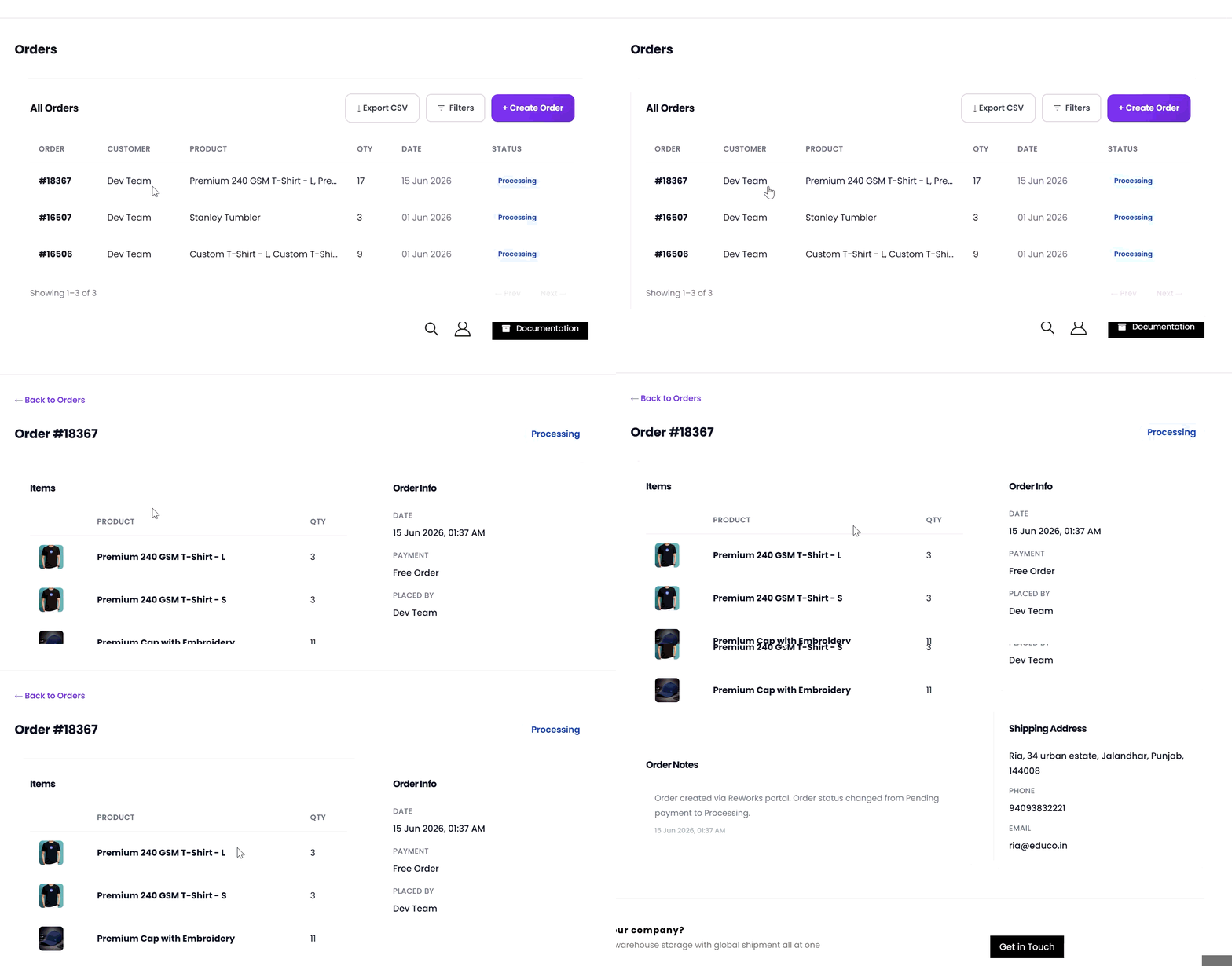
## Steps to View an Order
1. Navigate to Orders from the left sidebar.\
The Orders Dashboard displays a list of all orders.
2. Click the order you want to review in the orders table.
3. You are redirected to the Order Details page for the selected order.
 ## What Happens After Clicking View?
Once the Order Details page opens, you can review the complete information related to the order:
* Ordered items and quantities
* Order totals and earnings
* Current order status and creation date
* Customer contact information
* Billing and shipping addresses
* Order notes and system logs
##
## What Happens After Clicking View?
Once the Order Details page opens, you can review the complete information related to the order:
* Ordered items and quantities
* Order totals and earnings
* Current order status and creation date
* Customer contact information
* Billing and shipping addresses
* Order notes and system logs
##