> ## Documentation Index
> Fetch the complete documentation index at: https://docs.reworks.in/llms.txt
> Use this file to discover all available pages before exploring further.
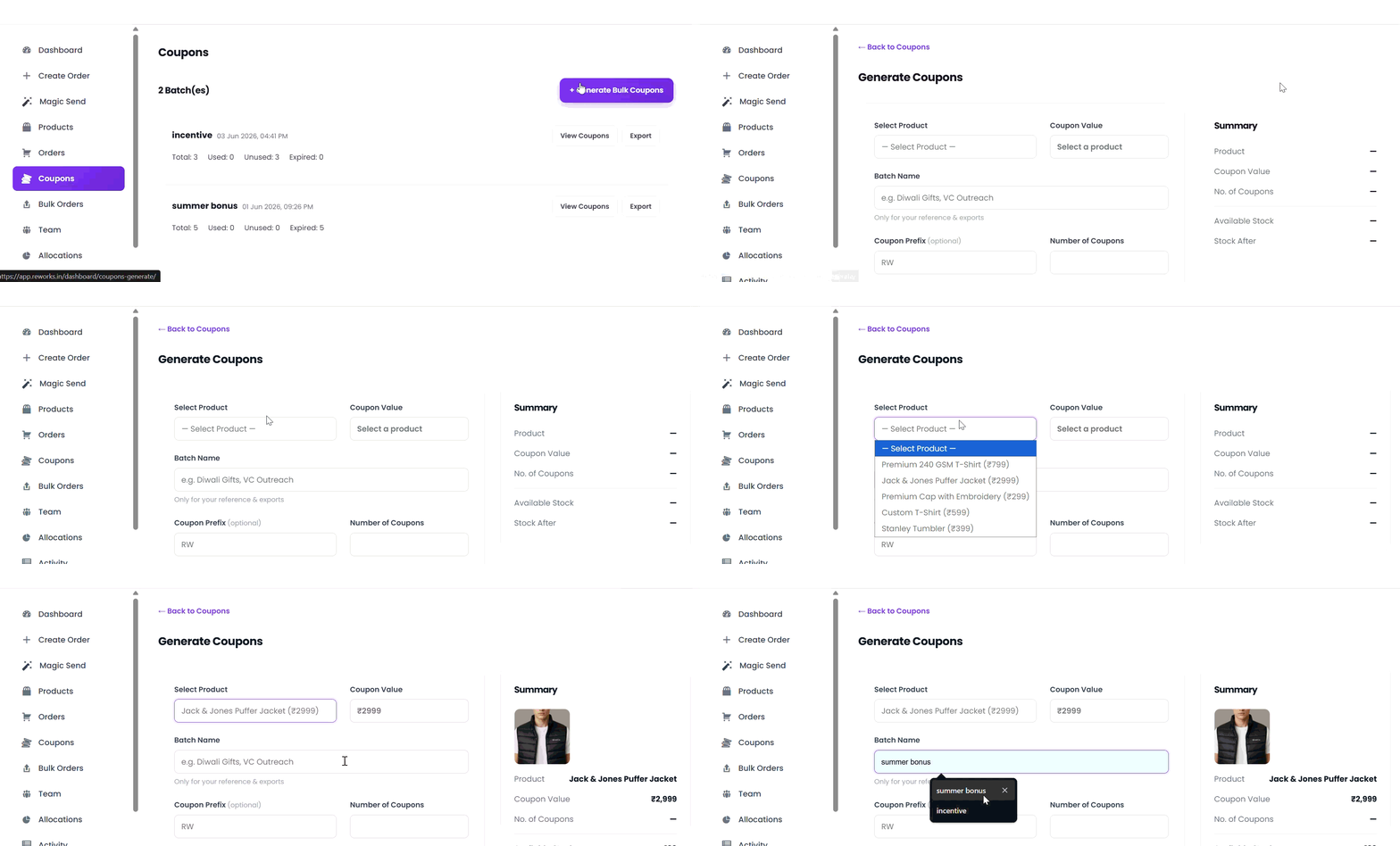
# Generate Bulk Coupons
> Follow these steps to generate multiple unique coupon codes in a single batch.
## Step 1: Select a Product
From the Select Product dropdown, choose the product for which you want to generate coupons. Coupon Value will be auto-fetched
## Step 2: Enter a Batch Name (Internal)
Provide a Batch Name for internal reference (for example: *Diwali Gifts*, *VC Outreach*).\
This name is used only for tracking, reporting, and exports.
## Step 3: Add a Coupon Prefix (Optional)
Enter a Coupon Prefix to customize how coupon codes are generated.\
If left empty, the system will use the default prefix.
> Example: `RW-XXXXXX`
## Step 4: Specify the Number of Coupons
Enter the Number of Coupons you want to generate.\
Each coupon will be unique and redeemable by a single user.
 ## Step 5: Upload a CSV File (Optional)
The CSV must contain **exactly two columns**:
> name,email
## Step 6: Set an Expiry Date (Optional)
Select an Expiry Date to limit how long the coupons remain valid.\
After this date, unused coupons can no longer be redeemed.
## Step 7: Review the Coupon Summary
Check the Coupon Summary panel on the right to verify :
* Selected product
* Coupon value
* Number of coupons
# Coupons Generated!
## Step 5: Upload a CSV File (Optional)
The CSV must contain **exactly two columns**:
> name,email
## Step 6: Set an Expiry Date (Optional)
Select an Expiry Date to limit how long the coupons remain valid.\
After this date, unused coupons can no longer be redeemed.
## Step 7: Review the Coupon Summary
Check the Coupon Summary panel on the right to verify :
* Selected product
* Coupon value
* Number of coupons
# Coupons Generated!
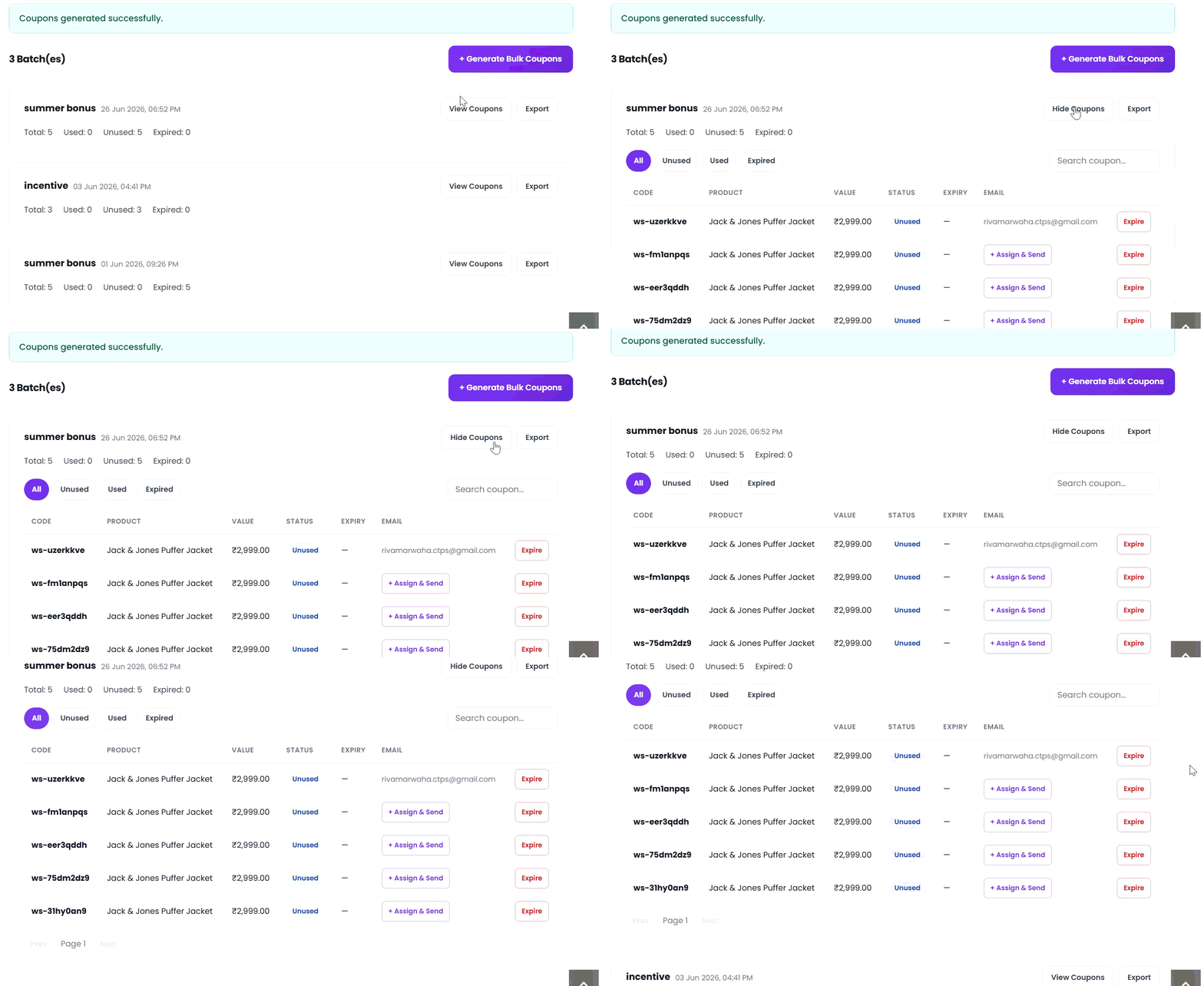 Once everything is reviewed, submit the form to generate the coupons.\
The system will create a batch of unique coupon codes ready. Also, mailed to individuals.
Once everything is reviewed, submit the form to generate the coupons.\
The system will create a batch of unique coupon codes ready. Also, mailed to individuals.