> ## Documentation Index
> Fetch the complete documentation index at: https://docs.reworks.in/llms.txt
> Use this file to discover all available pages before exploring further.
# Assign & Send Coupons
Use this feature to assign an unused coupon to a customer and send it directly via email.\\
### Steps
1. Navigate to **Coupons batch**.
2. Find an **Unused** coupon.
3. Click **Assign & Send**.
4. Enter the recipient's email address.
5. Click **Assign & Send Email**.
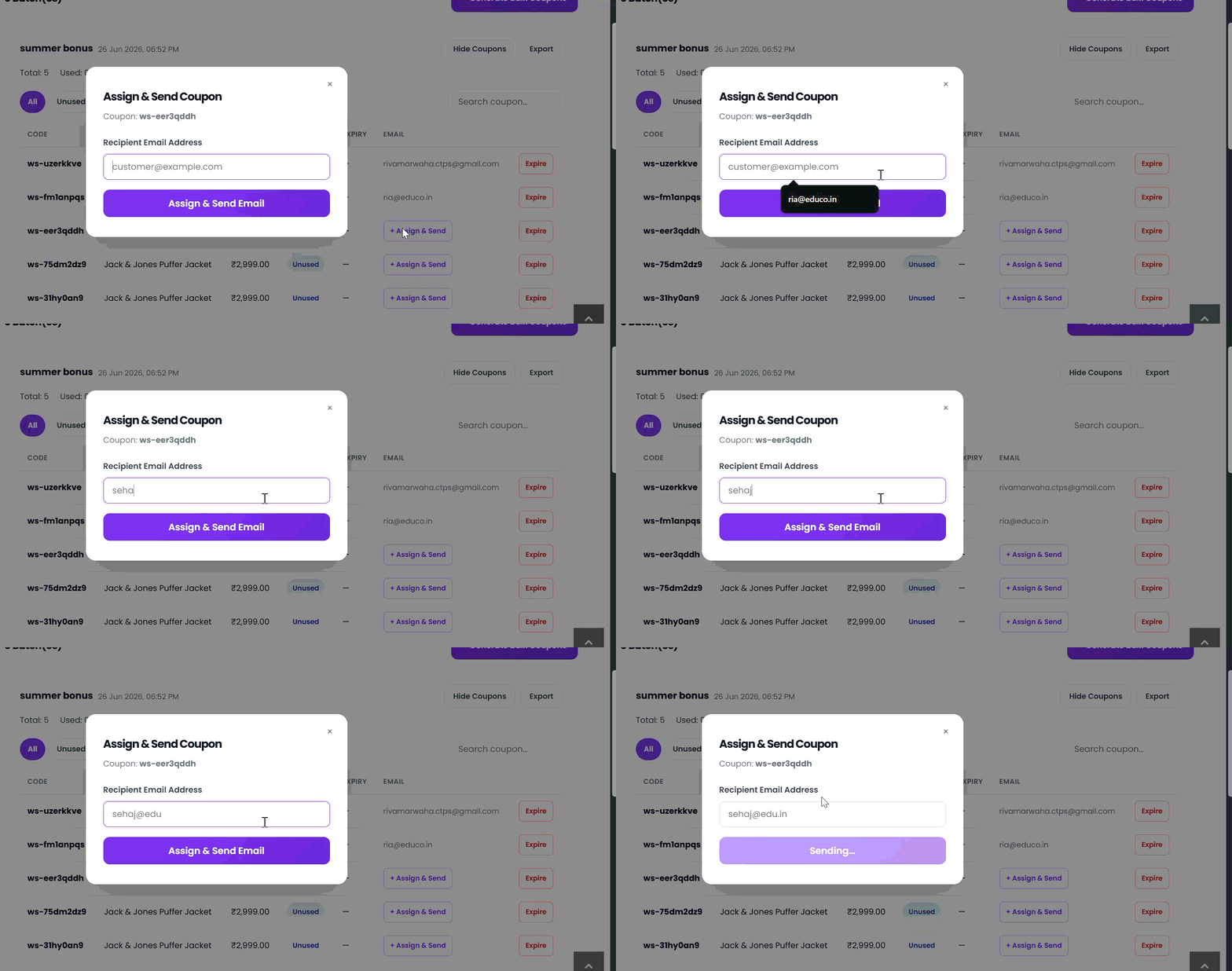 Once assigned, the recipient's email is displayed in the **Email** column and the coupon is linked to that customer.