> ## Documentation Index
> Fetch the complete documentation index at: https://docs.reworks.in/llms.txt
> Use this file to discover all available pages before exploring further.
# Allocate Stock
### To assign stock to a user
1. Click **Manage** next to the desired product.
2. Locate the user.
3. Enter the quantity in the **Qty** field.
4. Click **Allocate**.
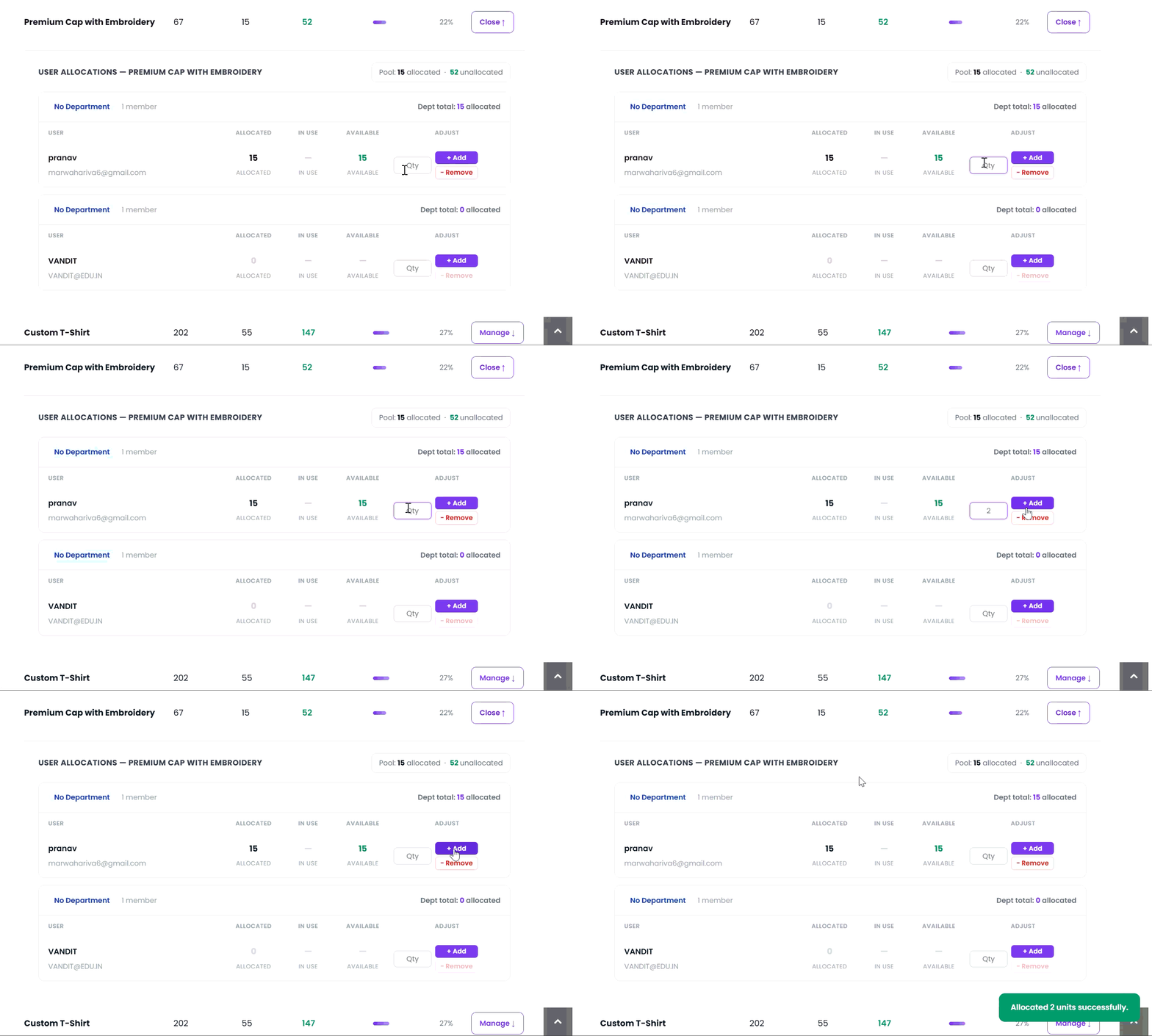 The specified quantity is allocated to the selected user and deducted from the unallocated stock pool.